
Online safety
Online safety
These pages cover what a child can come across online when nobody is watching, and what to do when something gets through that shouldn’t have. They’re written to inform without alarming, for the parent who wants to feel calm about the device in the next room and to know what goes on behind the screen.
What the library says about this, on one page. It is also online at theparentbook.com/help/online-safety
What to do first
If something has happened online, the first thing to know is that your child needs you to stay calm more than she needs you to be right. Whatever she did, she needs to be able to tell you the next thing too.
- Say the sentence that keeps the door open: “I am not cross. I am glad you told me. We will work out what to do together.” Say it before anything else.
- Never view, copy, print, share, store or save a sexual image of a child, or ask your child to send you one. Do not go back into the chat or the image to collect evidence. Leave the device as it is, and stop the contact rather than confronting it.
- Tell the school’s designated safeguarding lead today. If your child is in danger now, 999. If an adult has contacted your child, or an image has been shared, the police are on 101, and CEOP takes reports at ceop.police.uk/safety-centre. The NSPCC helpline for adults is 0808 800 5000, Monday to Friday 10am to 4pm. If the NSPCC service is closed and the concern cannot wait, call the police on 101. You can also contact the child’s local out-of-hours children’s social care, social work or social services team. If a child is in immediate danger, call 999.
Some tips to try
Short pieces from the library, and a first thing to try from each.
-
When the AI Becomes Her Confidant.
If your child confides in a chatbot, tell her what it is and keep her talking to real people.
- Tell her briefly, in the car, what the chatbot is, without making it a confrontation.
- Make sure she still has people to talk to: you, the school counsellor, a real friend.
- Watch for downloading conversations that an adult should hear.
-
Ask What She Watches, Not How Long.
Asking what she watches online is harder than timing it, and more useful.
- Ask what she watched this week, not how long.
- Screen-time advice usually counts hours: how long, when, in which rooms. The harder and more useful question is what she is watching. A child can spend two hours a day on cookery videos and animal clips and be doing nothing a parent would worry about. Another child can spend twenty minutes a day on a platform that has, in a fortnight, served her a hundred pieces of content about self-harm, because she paused on one and the algorithm decided that was who she was.
-
Before the First Loot Box.
Have the money conversation, and set the controls, before she plays a game with a shop in it.
- Turn off in-game purchases, or set a limit, before she starts.
The rest of each tip, with more to try and why it works, is in the library.
Something to do together
Play her game with her. She picks a game she plays and teaches you how it works. You play beside her as a beginner, and find out what the game involves, including who she can talk to in it.
What it is for. For many children, games are where they relax and where they spend time with their friends. Playing one with her shows her you’re interested in something she cares about, and it teaches you what the game involves: who she can talk to in it, what it costs and how she would block someone.
- The first step. Ask her to choose the game and teach you: “Will you show me how to play this? I’ll probably be hopeless.” Let her pick a time that suits her, and not one that cuts into playing with her friends.
Safety. Check the age rating, and what the game lets players do: chat, voice and buying things. Use the console’s or the game’s settings to limit who can talk to her, and so that nothing can be bought without you. Don’t store a payment card on the console or in the app. Screens off about an hour before bed, and the console stays out of her bedroom overnight.
When to get help. If you learn that someone in a game has asked her for pictures or personal details, asked to meet her or asked her to move to another app, or that there is a sexual image of a child, stay calm, do not blame her, and leave everything as it is (do not look further, copy, forward or delete). Act that day, using the routes under “If you need help right now”, at the foot of every page, and tell the school’s designated safeguarding lead. If she tells you that someone is hurting her, that she is hurting herself, or that she does not want to be alive, stay calm, thank her for telling you, do not promise to keep it secret, and act that day in the same way. If for several weeks gaming has come before sleep, meals and washing, she has dropped things she used to enjoy, or she only sees her friends online, talk to her school and your GP.
The other four steps, and your part in it, are in the library.
If you want to read further
- Your Child’s Online World. For parents who have seen something on their child’s phone that they can’t unsee. theparentbook.com/reader/online-life-beyond-screens
- When Your Child Is Being Bullied. For parents whose child has just told them she is being bullied. theparentbook.com/reader/when-your-child-is-being-bullied
Worth your time
- A book for you: Children, Technology and Healthy Development, Catherine Knibbs. A UK child therapist who specialises in online harm explains, stage by stage, how technology meets children’s developing brains and bodies, and what staying safe looks like at each age. uk.bookshop.org/p/books/children-technology-and-healthy-development-how-to-help-kids-be-safe-and-thrive-online-catherine-knibbs/38d43eda802b8899
- A book to read together: Chicken Clicking, Jeanne Willis. Chick sneaks onto the farmer’s computer, shops online and arranges to meet a new friend, who turns out to be a fox. A rhyming cautionary tale for starting conversations about who we talk to online. uk.bookshop.org/p/books/chicken-clicking-jeanne-willis/64b0f9384b3401b6
- Something to watch: How to Help Children Use AI Safely | Internet Matters, Internet Matters, YouTube. A short guide to helping children use AI chatbots and tools safely, including privacy, checking what AI tells them and knowing when to talk to an adult. www.youtube.com/watch?v=mtlwqroazeQ
- Something to listen to: Episode 192 - Dr Kathy Weston and Dr Elly Hanson Share Thoughts on Netflix’s Adolescence, Get a Grip - Evidence-Based Conversations for Parents and Educators, 48 min. Clinical psychologist Elly Hanson, who works on abuse and online harms, discusses the themes raised by Netflix’s Adolescence and the practical steps parents and schools can take. podcasts.apple.com/gb/podcast/episode-192-dr-kathy-weston-and-dr-elly-hanson-share/id1450644258?i=1000702990319
Who else can help
If something has happened to your child online, this is a safeguarding conversation before it is anything else.
- The designated safeguarding lead at your child’s school. Every school has one, by law. They are trained for exactly this conversation and they have the routes a parent does not. As soon as you have a concern about a child’s safety. Ask for them by role; you do not have to explain yourself to the office first.
- The NSPCC helpline, for adults worried about a child. A line for the adult who is not sure whether what they have noticed is serious. You do not need to be certain, and you can call anonymously. When something has been said or seen and you do not know what to do with it. They will tell you whether it needs to go further, and help you take that step. Helpline 0808 800 5000, Monday to Friday 10am to 4pm Email help@nspcc.org.uk, read 11am to 4pm, seven days a week; a message sent while the service is closed is not received. If it is closed and the concern cannot wait, call the police on 101, or contact the child’s local children’s social care, social work or social services team. If a child is in immediate danger, call 999. www.nspcc.org.uk
- Internet Matters. Step-by-step guides to the settings on every device and app, advice by age from nought to eighteen, and guides to AI tools and gaming. When you need to actually change something on a phone tonight. The most practical online safety source in the UK. www.internetmatters.org/advice
- Childnet. Guides to having the conversation, by age, on gaming, sharing images, online bullying and where the line is, from one of the charities behind the UK Safer Internet Centre. When the settings are done and the talking is the hard part. www.childnet.com/parents-and-carers
- CEOP (the police’s online child protection command). The National Crime Agency’s child protection command. Their parents’ pages explain grooming, image sharing and gaming risks calmly, and the CEOP Safety Centre is where you report an adult who has contacted your child online. When what has happened online may be a crime: an adult asking for images or personal details, or pressure on your child to share pictures. Report at ceop.police.uk/safety-centre. To report something, use the CEOP Safety Centre at ceop.police.uk/safety-centre. www.ceopeducation.co.uk/parents
The full list for online safety, with what each organisation does and when it is the right call, is at theparentbook.com/help/online-safety/services
Published by Kensington Square Therapy. Company No. 16707111. Written by therapists registered with the British Association for Counselling and Psychotherapy (BACP) and the National Counselling and Psychotherapy Society (NCPS). This page is not therapy, and not a substitute for professional support. The full library is at theparentbook.com.
Everything the library holds on online safety
Go further
Chapters
Quick tips
- When the AI Becomes Her ConfidantIf your child confides in a chatbot, tell her what it is and keep her talking to real people.
- Ask What She Watches, Not How LongAsking what she watches online is harder than timing it, and more useful.
- Before the First Loot BoxHave the money conversation, and set the controls, before she plays a game with a shop in it.
- The Apps You Chose for HerA four-year-old doesn’t choose her own apps, so choose them with care and review them as she grows.
- The Game Rated Above Her AgeTwo games with the same age rating can be very different, so check why it got its number and watch it being played before you decide.
- The Group Chat She Is Not InBeing left out of a group chat hurts; take it seriously, and send no messages tonight.
- Her First Tablet at FourAt four, treat the tablet as yours, lent to her for short stretches with you nearby.
- The Feed Full of Diets and BodiesIf your daughter’s feed is full of diets and bodies, reset it with her and explain how it works.
- The Homework She Let the AI WriteIf your child has let an AI tool do her homework, go through what it wrote with her.
Quick tips open with a subscription.
Things to do together
- Play her game with herShe picks a game she plays and teaches you how it works. You play beside her as a beginner, and find out what the game involves, including who she can talk to in it.
- Show me three thingsOnce a week she shows you three things: the funniest she has seen, the weirdest, and one she thinks you should see. You watch without comment.
Activities open with a subscription.
To print
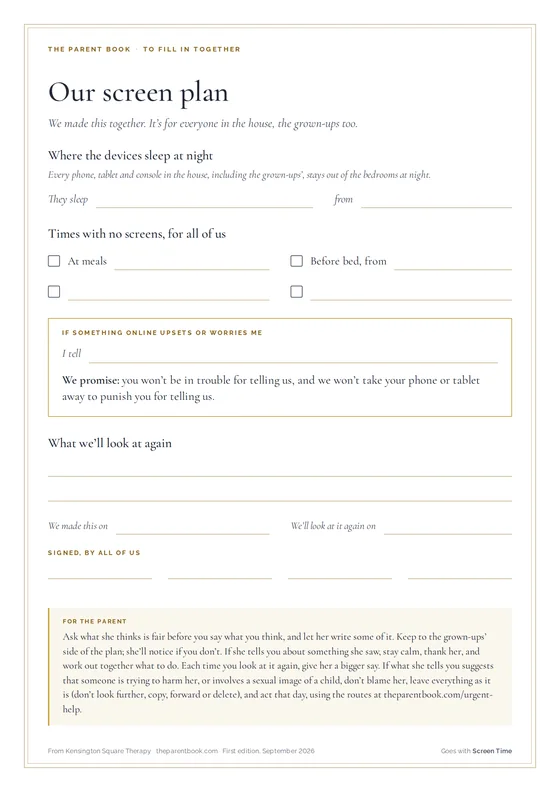 Our screen plan
To fill in together · A4 · PDF, 53 KB · With a subscription
Our screen plan
To fill in together · A4 · PDF, 53 KB · With a subscription
 My words for that moment
Pocket card · A4, four cards to cut · PDF, 46 KB · With a subscription
My words for that moment
Pocket card · A4, four cards to cut · PDF, 46 KB · With a subscription
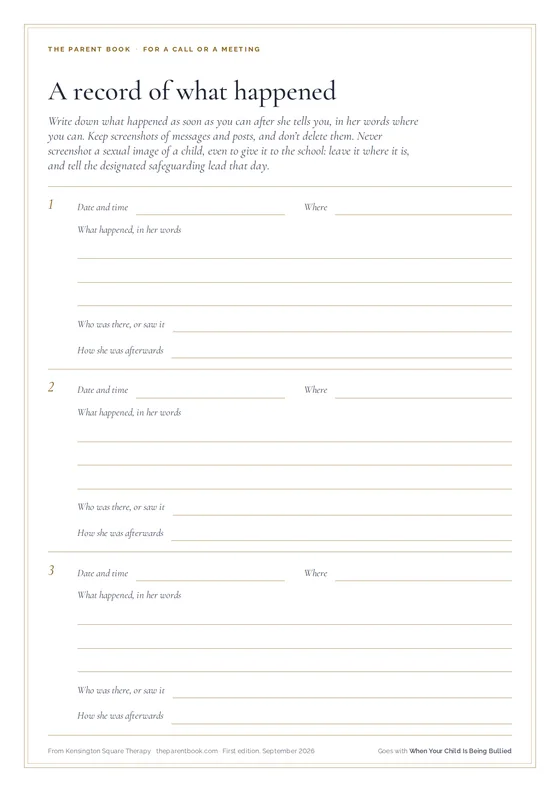 A record of what happened
For a call or a meeting · A4, two pages · PDF, 57 KB · Free
A record of what happened
For a call or a meeting · A4, two pages · PDF, 57 KB · Free
 What to say: growing up
Cards to cut out · A4, eight cards to cut · PDF, 62 KB · With a subscription
What to say: growing up
Cards to cut out · A4, eight cards to cut · PDF, 62 KB · With a subscription
Screens and online life
Every subjectWho else can help with online safetyUrgent help